
01
Provider Vault
Add a provider credential once. Encrypt it, version it, test it, rotate it, and never return it.
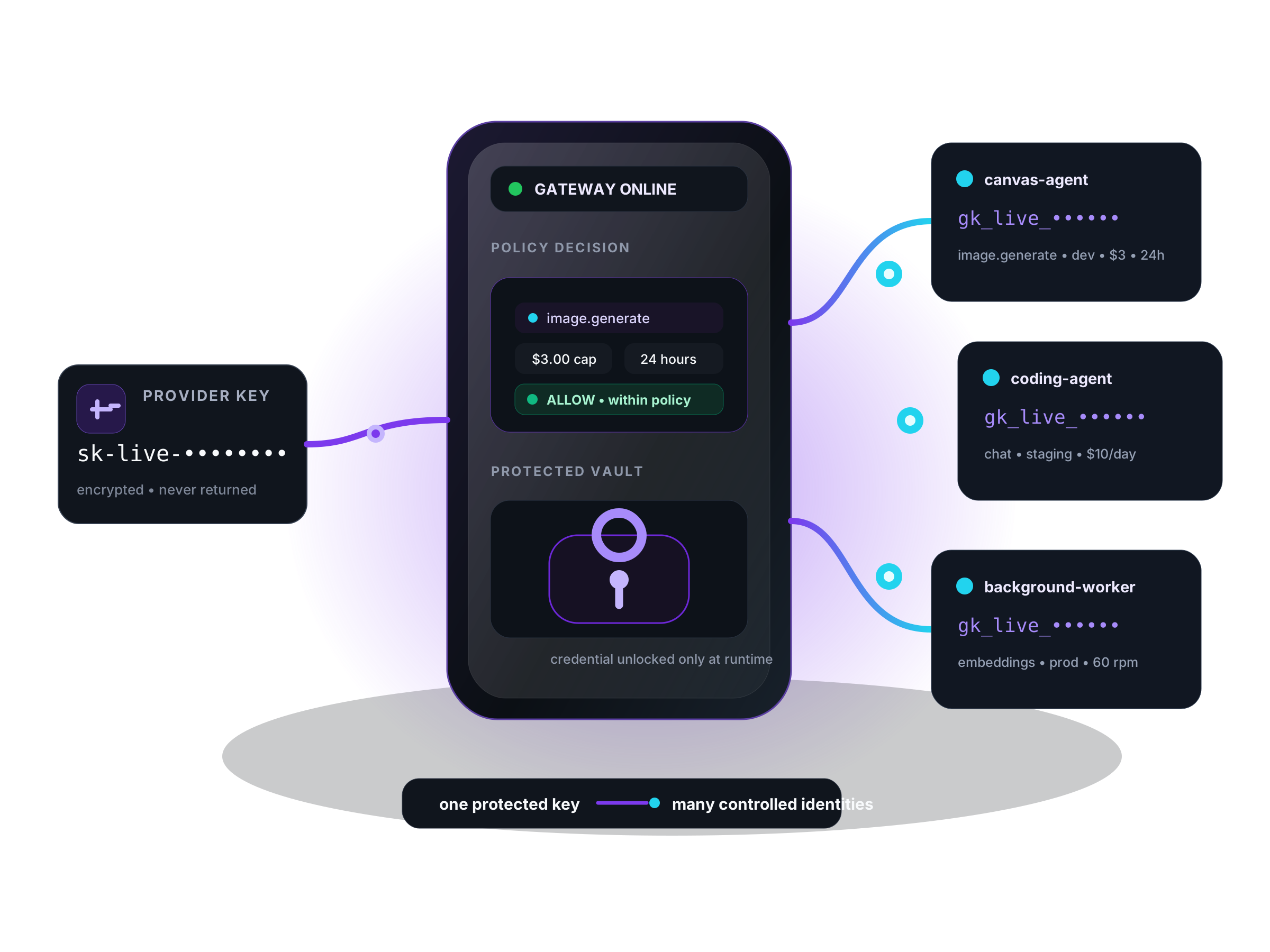
Keep real provider credentials in your own encrypted vault. Give every app and agent a scoped, budgeted, revocable Gate Token instead.
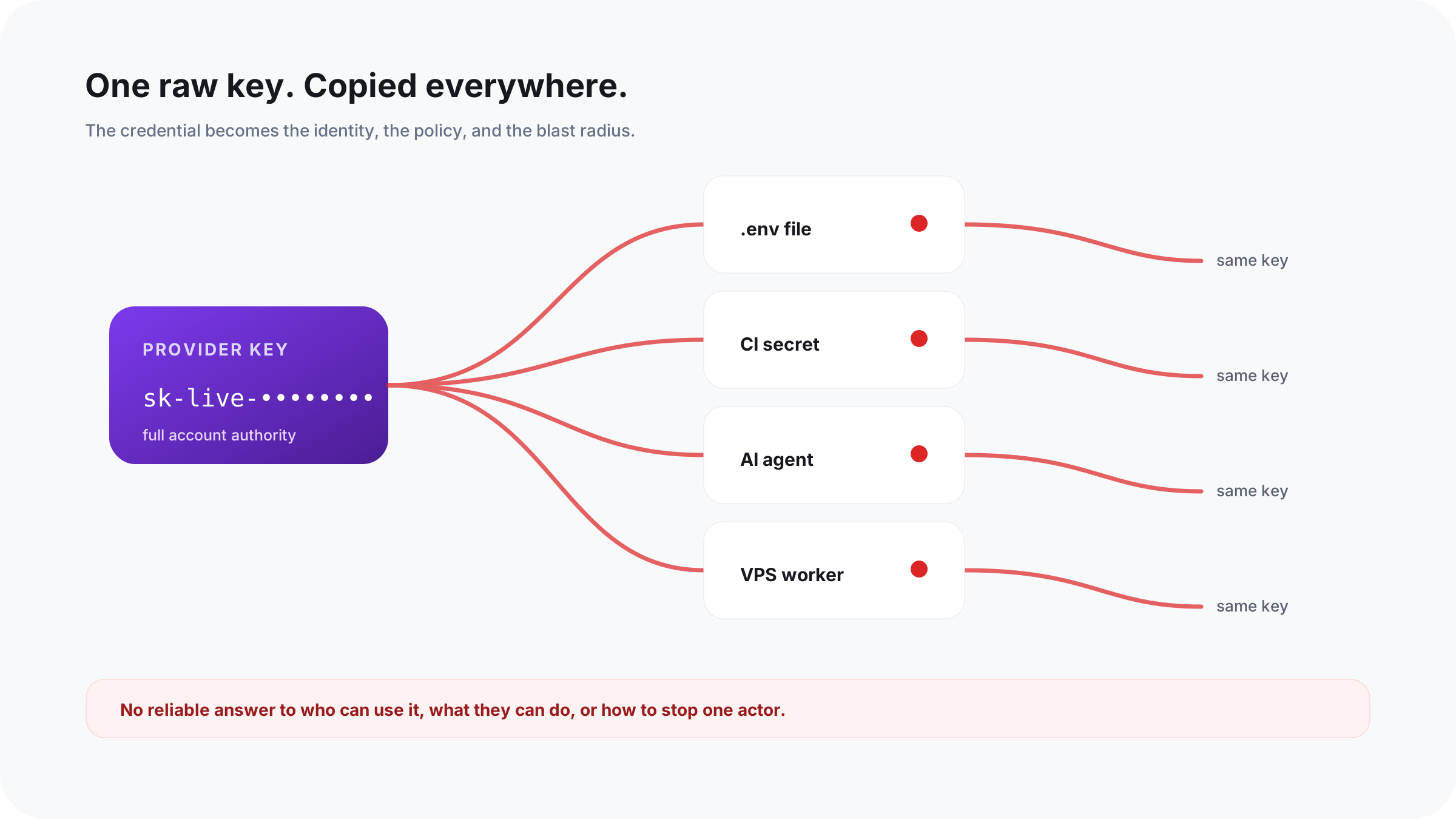
Once the same master key is copied into an agent, CI secret, worker, and .env file, you lose the ability to answer who can use it, what they can do, and how to stop only one actor.
A chart tells you what happened. A policy decides whether it may happen.
One protected upstream credential becomes many controlled internal identities—each with a purpose, owner, scope, budget, and expiration.
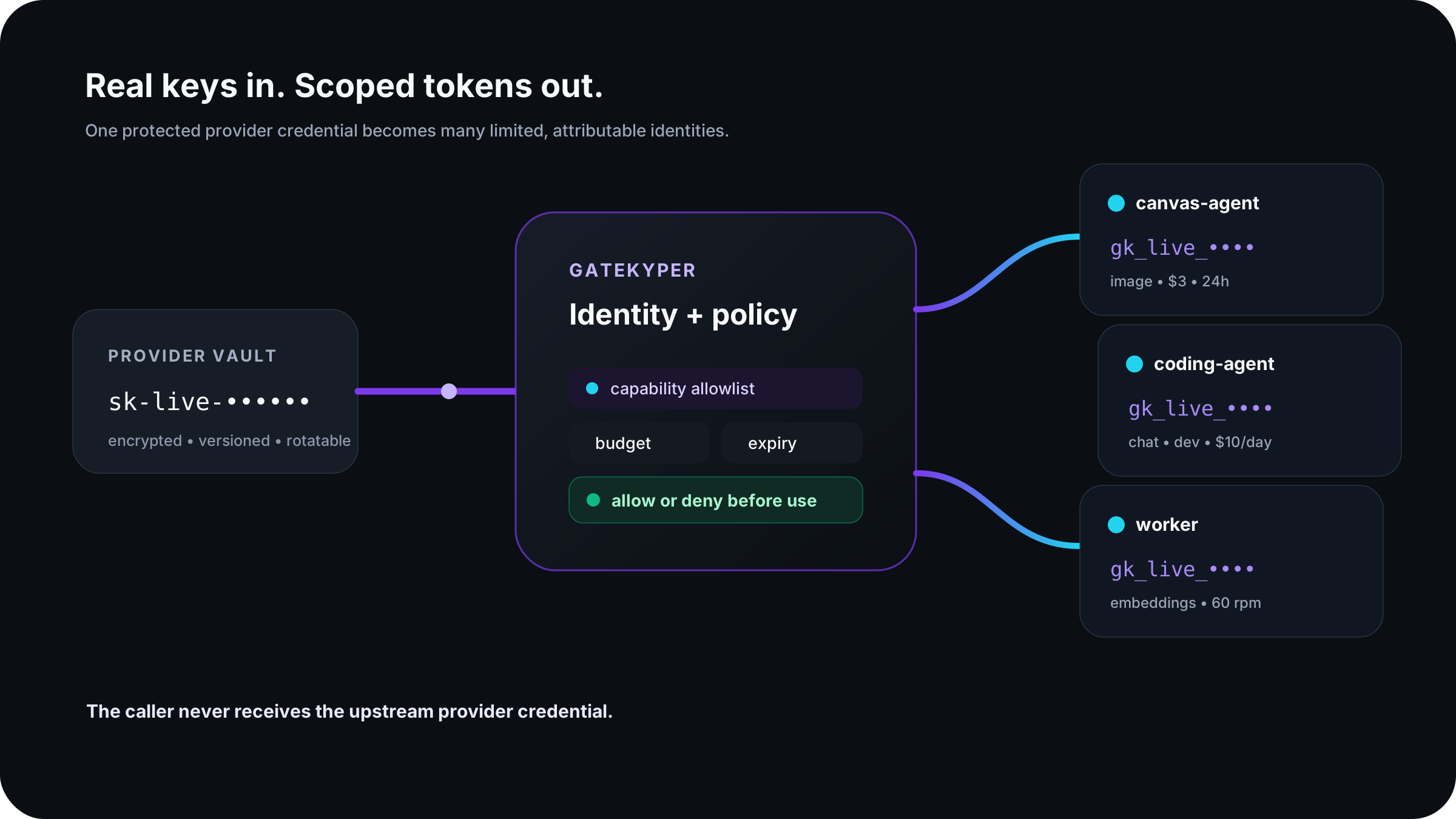
Gatekyper follows the complete access lifecycle. Every important control is attached to an actor and a stated intent, not hidden in a shared credential.
Add a provider credential once. Encrypt it, version it, test it, rotate it, and never return it.
One display-once token per app, agent, worker, feature, tenant, or environment.
Reserve budget before forwarding, then reconcile it against the usage a provider reports.
Let an agent ask for a named capability without letting it mint arbitrary credentials.
Check the actor, provider, capability, environment, budget, rate, concurrency, and expiry before unlocking the protected key.
Start with a sentence developers can review. Advanced controls remain available without making the safe path feel like writing a firewall rule from scratch.
canvas-agent may generate images in development for 24 hours, up to $3 total, with no production access.
Every request earns its way through the boundary. Unknown models, routes, capabilities, or prices fail closed when hard control is required.
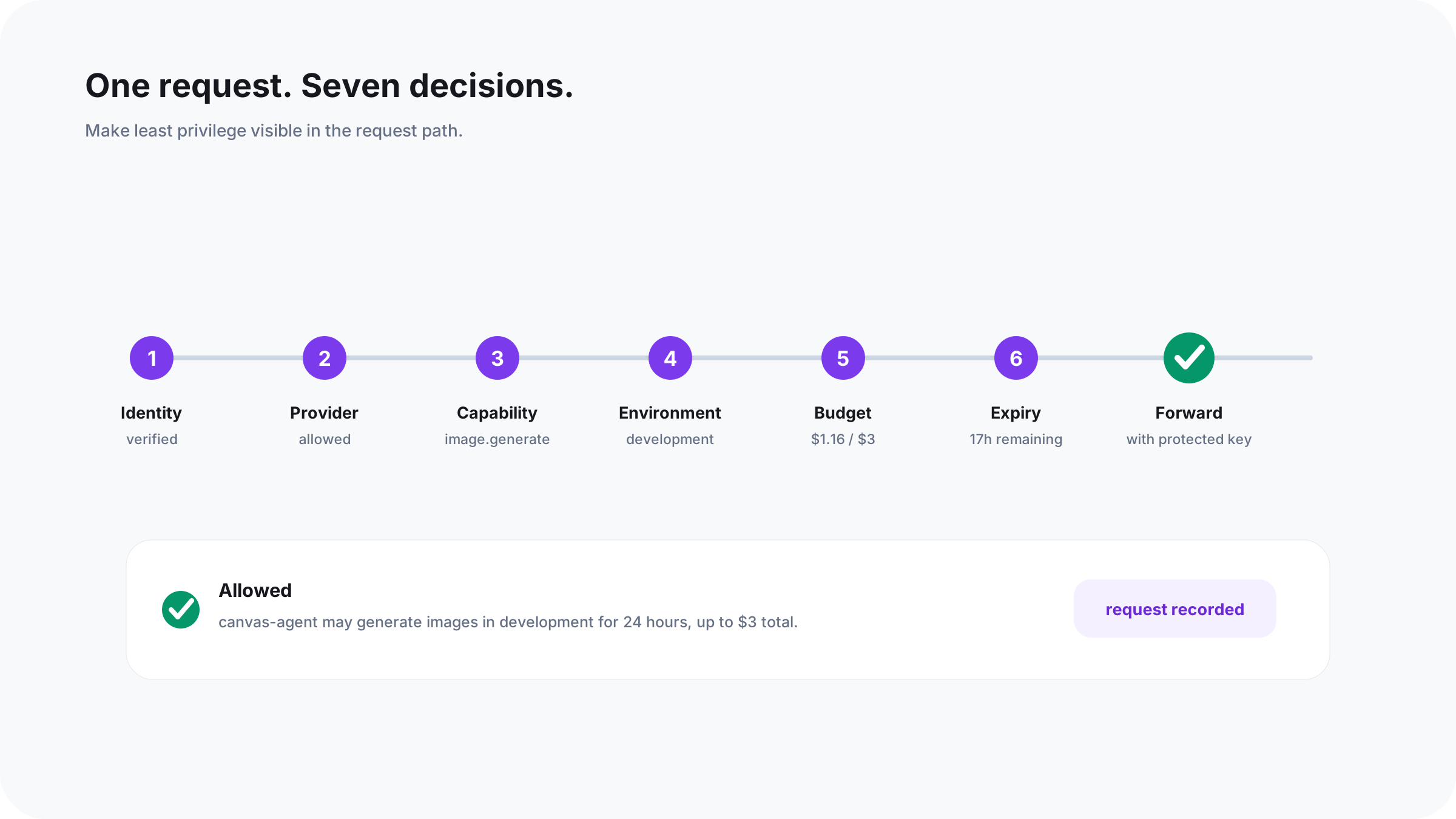
Budgets reserve a conservative amount before a request and reconcile afterward. Provider reporting can introduce a stated tolerance.
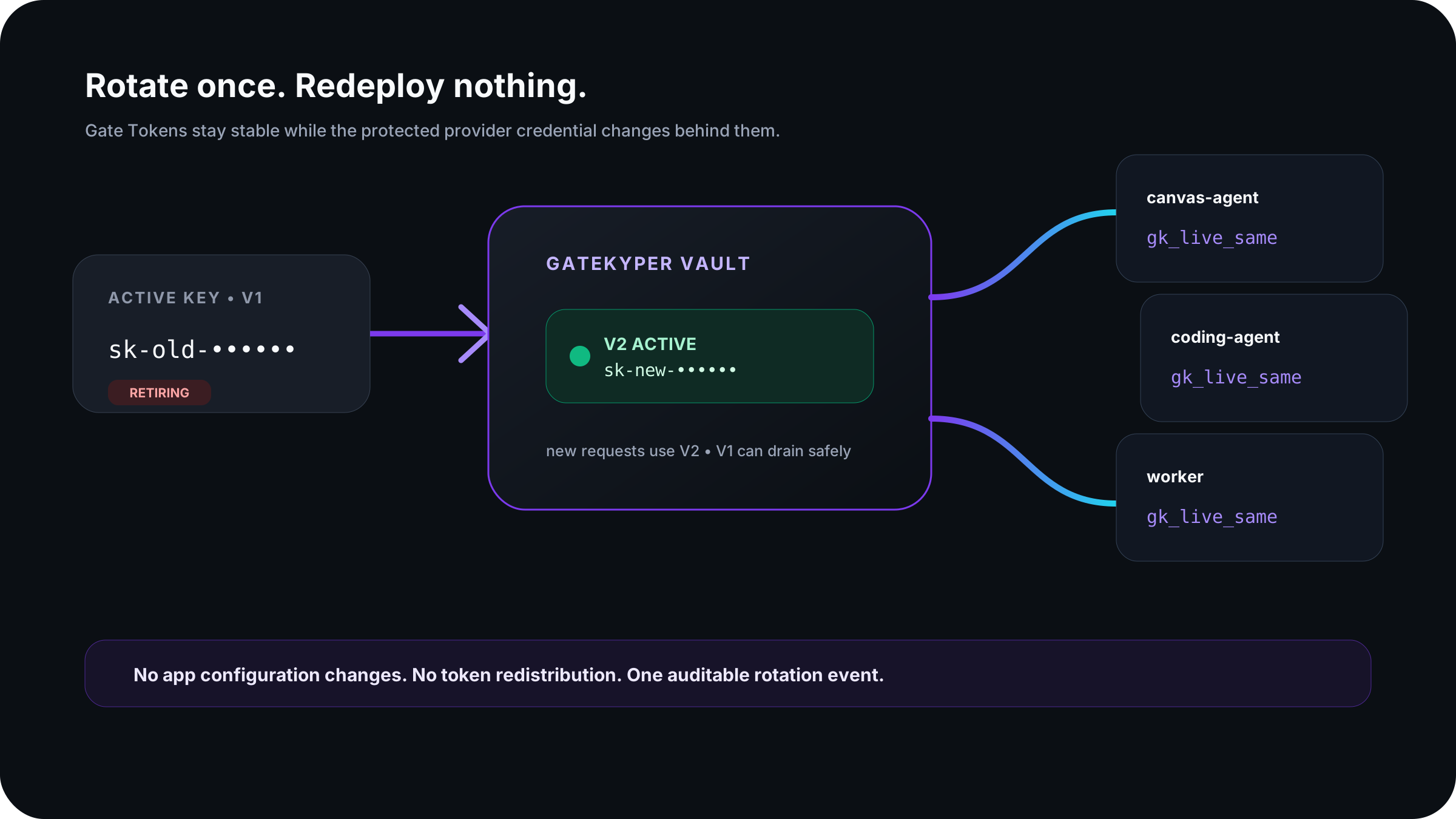
Gate Tokens stay stable while the protected upstream credential changes behind them. Rotate centrally, let old versions drain safely, and preserve one auditable event.
Credentials, policy, usage metadata, and emergency controls stay on the host you operate. Gatekyper does not need prompts and responses to enforce access.
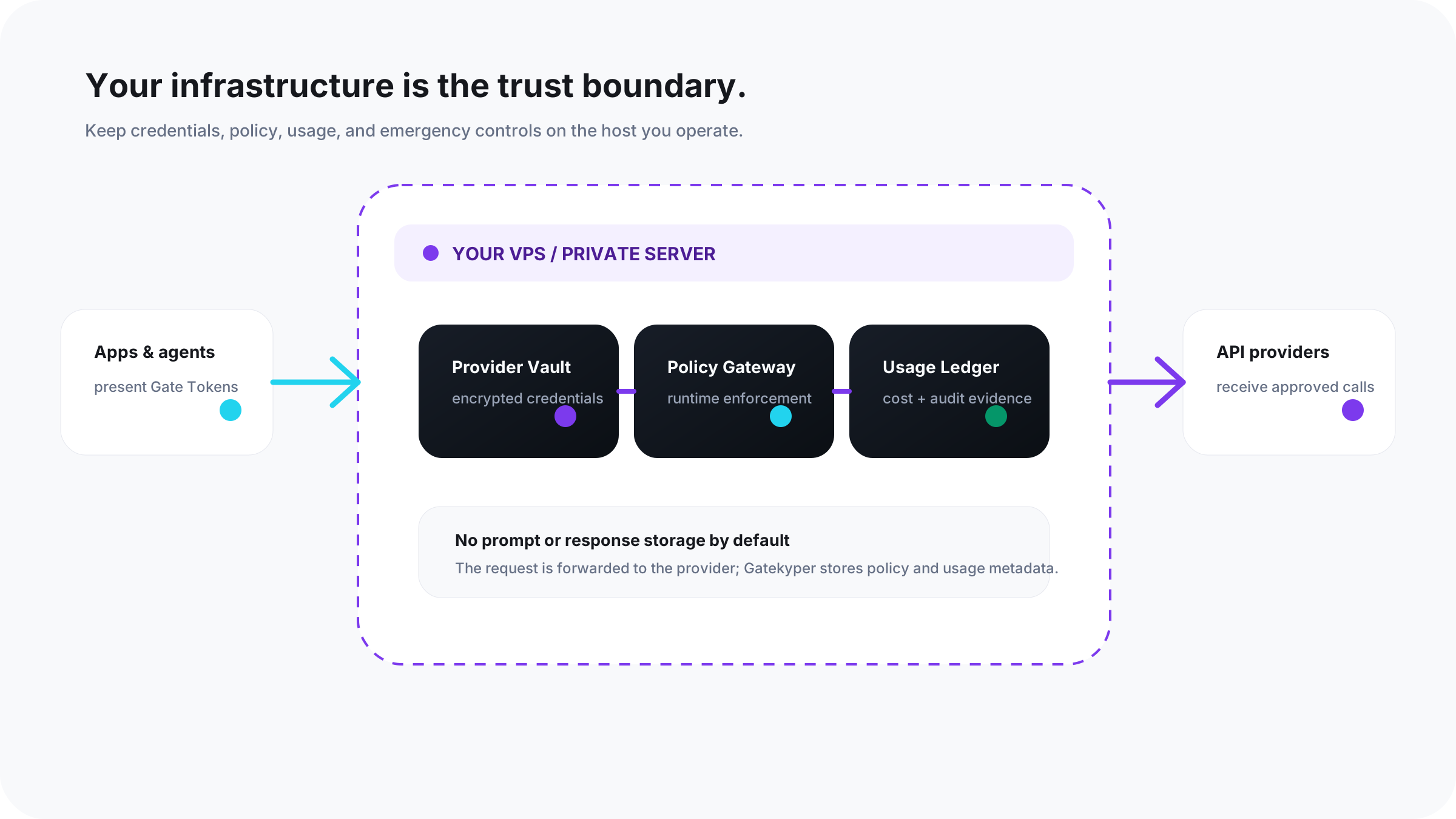
Deploy with Docker Compose on a VPS or private server. The gateway runs separately from the dashboard.
Keep policy and usage metadata without retaining prompts, responses, or plaintext Gate Tokens.
Revoke a token, suspend an actor, freeze an environment, disable a provider, or use a global kill switch.
Follow the whole loop: add a provider credential, issue one Gate Token, make a request, trigger a denial, and inspect the attributed event.
Open the quickstart# Start the self-hosted stack
git clone https://git.cameronlow.com/cam/gatekyper.git
cd gatekyper
cp .env.example .env
# Generate the three required values documented in .env
docker compose --profile full up -d --build
# Finish /setup, add a provider, and issue a Gate Token.
# Then point a compatible client at the gateway:
export OPENAI_BASE_URL=http://127.0.0.1:4100/v1
export OPENAI_API_KEY=gk_test_REDACTEDCommunity is available for self-hosting. Pro and Team describe the direction for expanded governance and collaboration; they are not yet generally available.
For builders protecting personal projects, apps, and agents on infrastructure they operate.
A future edition for small teams that need more operational context and workflow support.
A future edition for organizations with broader identity and deployment requirements.
No edition paywalls emergency revoke or core security fixes. No final Pro or Team pricing is published.
Direct answers about the boundary, the request path, and what Gatekyper does not store.
It complements one. Secret managers protect storage and retrieval. Gatekyper keeps the provider credential out of the caller’s hands and enforces policy while the API is used.
Use them as defense in depth. Gatekyper adds an internal identity, budget, approval, rotation, and kill lifecycle across providers.
Not by default. It can enforce identity, capability, budget, rate, expiry, and usage without retaining payload content.
The request gateway is a separate service and can remain independently healthy. The UI is not in the provider request path.
Gatekyper reserves conservatively before forwarding and reconciles afterward. When a provider reports cost late, the resulting tolerance should be stated instead of hidden.
Real keys in. Scoped tokens out.